

Kipay: A budget sharing app
Role: UX/ UI Design
Timeframe: 5 weeks
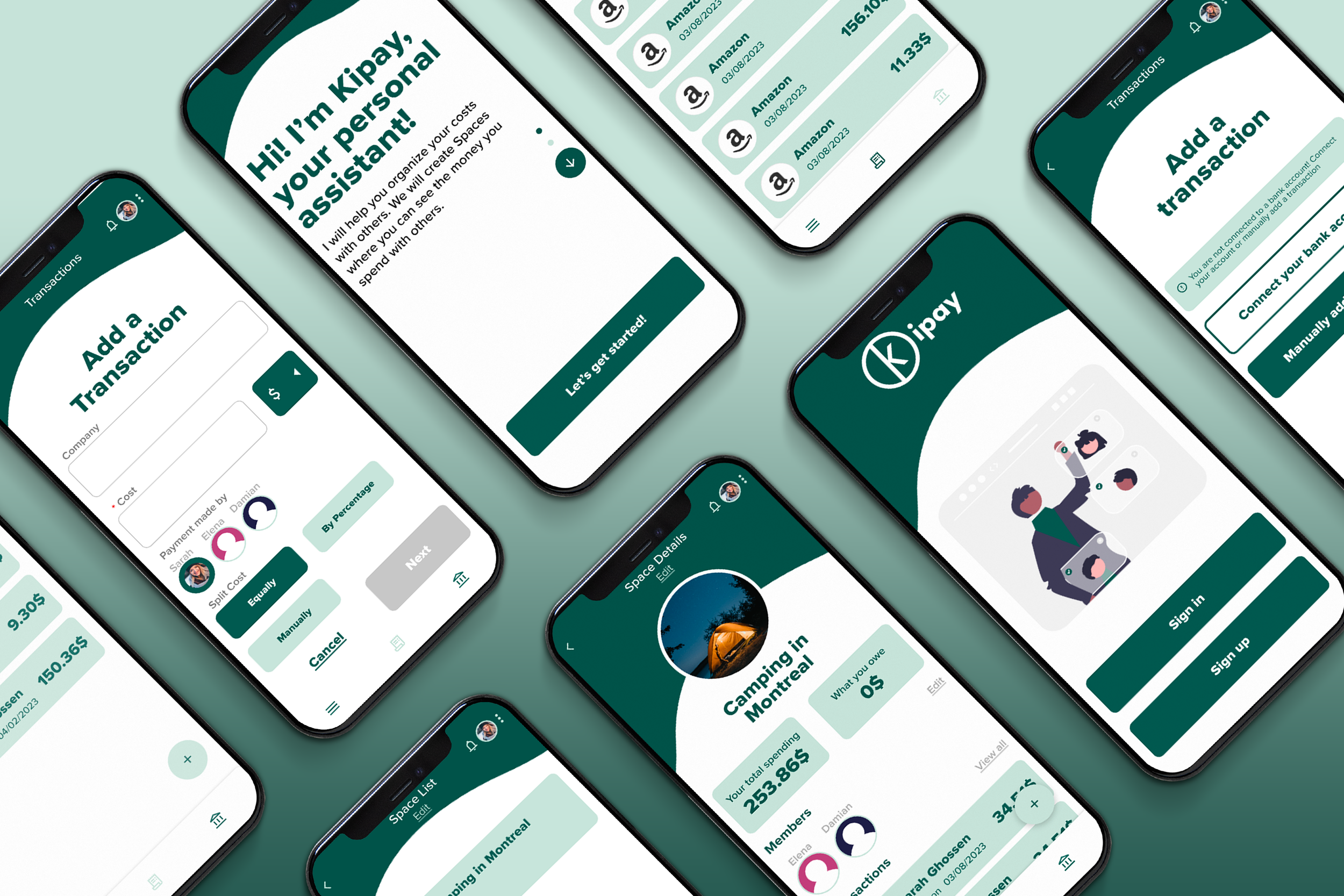
Kipay is an app designed to facilitate the sharing of common expenses among people and provide a transparent view of shared budgets. Its purpose is to foster trust in group spending activities.
The Mandate
I created the wireframes and visual design with the goal to create a user friendly budget sharing app that facilitates trust, transparency, and convenience in group spending activities, allowing users to manage their finances efficiently and effectively.
Expense tracking: The app will allow users to track expenses incurred for common activities, such as group trips or shared bills.
Budget management: The app will provide users with the ability to set budgets for specific activities and track spending against these budgets.
Payment facilitation: The app allows users to connect their bank account and make payments to cover their share of the expenses incurred, making it convenient for everyone to contribute.
Transparency: The app provides a transparent view of shared expenses and budgets, allowing users to monitor the activity and identify any discrepancies.
Security: The app ensures the security of user data and financial information, protecting against any unauthorized access or breaches.
The Goals
Create a clear and concise onboarding process to eliminate any confusion the user might have.
Facilitate the linking of bank accounts for seamless sharing and viewing of transactions.
Collaborate with anyone to monitor expenses by creating and accessing shared spaces.
Goal #1
Developing an easy and comprehensible onboarding process for new users
It’s important that for new users to understand how the system works before getting started. This facilitates security to ensure they that it’s only the members in your group that will see your expenses and that it is safe to connect your bank account. User’s scroll up or down to continue the onboarding process, this makes it easier then a next button due to the hand positions on a phone, which makes it much smoother for the user.
Goal #2
Linking bank accounts for endless sharing and transaction viewing
Connect your bank this will allow users to view there bank transactions and then transfer them to there chosen space list which saves them time instead of having to manually add the transaction
Choose your bank users can choose there bank provider, there’s an already existing list of banks since the app has your location which saves the user time to research there bank.
Selecting bank transactions once you view all of your transactions, the user can easily select and deselect the transactions to move. A filtering system was necessary in order to narrow down the results instead of endless scrolling.
Goal #3
Easily collaborate with others to track spending by establishing and utilizing shared spaces for monitoring.
Users can create several space lists in which they customize the image and the members they would like in that space. Once added, all members can edit the content freely, promoting transparency and trust within the group.
What would i improve
As a first version, it offers transparency and allows users to manage their budgets within their group or alone. If I was given the opportunity to create a second version, I would want to do user testing to further improve the usability. I would also like to add some futures to make it easier for the user by:
Making it so that you can pay the members directly in the app
Adding a member group chat for better communication